


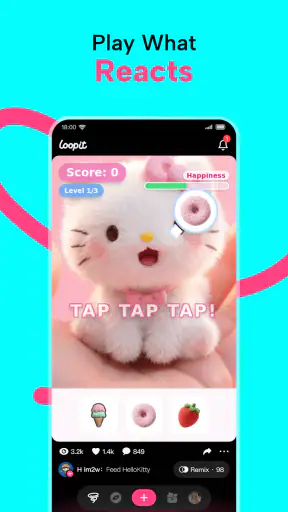
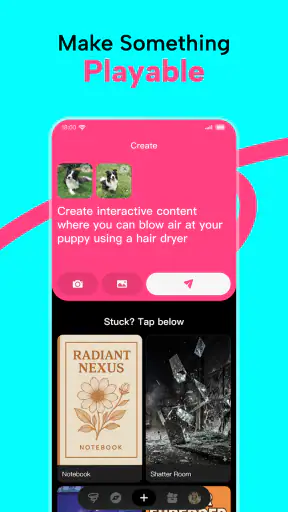
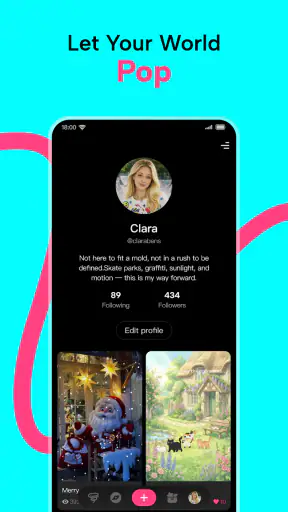
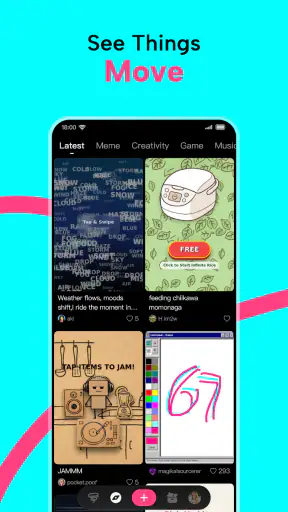
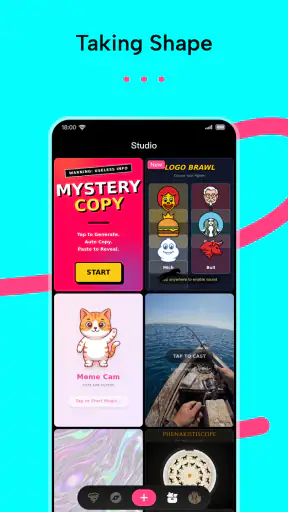
I first understood Loopit as something different from a normal entertainment app when I stopped treating it like a place to watch finished content. Its appeal is in making small interactive things yourself: a playful scene, a meme that reacts, a simple game-like experiment, a toy, or a piece of digital art that invites someone else to tap and explore. That makes it especially interesting on a shared phone or tablet, where one person can create something and another can immediately try it.
My experience with it was less like opening a traditional video feed and more like entering a lightweight creative playground. You are not only consuming entertainment; you are deciding how an idea should behave. That shift is the reason I would recommend it to curious users who enjoy experimenting, but it is also the first boundary to understand: this is not the best choice if you want a polished catalog of shows, a conventional social network, or a deep game with a long campaign.
How Loopit works when one device belongs to several people
The most enjoyable household scenario is a short creative handoff. I can imagine one person making a silly interactive image during a quiet moment, leaving the device on the table, and letting someone else discover what happens when they interact with it. A child might enjoy the surprise of a toy-like creation, while an older sibling or parent may be more interested in shaping the idea behind it. The experience works because the result is something to try, not merely something to look at.
That shared-device quality gives the app a different rhythm from ordinary entertainment apps. With video, people usually sit back and take turns choosing what to watch. With Loopit, the handoff can be more conversational: “Try this,” “What if we change that?” or “Can you make it behave differently?” In my view, that makes it a good fit for short bursts around the kitchen table, during a family break, or when friends want to turn an inside joke into something interactive.
The important catch is that the app does not automatically make a shared device feel organized. If several people use the same phone, creations and activity can become mentally mixed together. I would establish a simple household habit from the beginning: each person should say whose project they are opening, avoid changing another person’s work without asking, and finish by returning to a neutral screen. That is not a special Loopit feature; it is practical coordination that prevents small creative experiments from becoming arguments.
I also found that the app’s strongest moments come from setting a small goal before opening it. “Make a joke for dinner,” “build something a younger child can understand,” or “turn this picture into a tiny interactive scene” gives the session direction. Without that kind of prompt, the open-ended nature can feel less focused than a standard game. The freedom is real, but it asks the user to provide some of the structure.
What the creative format is good at
Loopit is well suited to ideas that need a response from the viewer. A static meme can be funny once; a playable version can make the punchline depend on a tap, a choice, or a small discovery. A drawing can become more engaging when someone can explore it. A simple game can be satisfying even when it is only meant to amuse for a minute. I would not approach it expecting professional development tools, but I do see value in the quick distance between an idea and a working playful result.
That speed changes how I think about its audience. Someone who says, “I have an idea but I do not know how to make an entire game,” may find the concept inviting. The app lowers the emotional barrier to experimentation because the project can be small. You do not need to begin with a grand design. A joke, a reaction, a tiny challenge, or an interactive picture is enough to give the creative process a reason to exist.
One useful technique is to make the first version intentionally incomplete. Instead of trying to create a perfect playable, I would build the simplest possible interaction, test it on another person, and then decide whether it needs more. This matters on a shared device because a second user can reveal confusion immediately. If they do not know what to touch or what the result means, that is valuable feedback. The app becomes more rewarding when you treat other people’s reactions as part of the creative process.
Another non-obvious strength is the way it can support different levels of participation. One person can invent the idea, another can test it, and a third can suggest a funnier or clearer version. That makes it more collaborative than many entertainment apps, even when only one person is holding the device. Still, collaboration is informal rather than something I would confuse with a full team workspace. I would use it for spontaneous cooperation, not for managing a serious shared project.
Setting boundaries before handing over the phone
Because Loopit is built around making and remixing, I would be more deliberate about device boundaries than I would be with a simple puzzle game. Before handing over a phone or tablet, I would decide whether the next person is only testing a creation or is allowed to edit it. Those are very different activities. Testing is temporary and low risk; editing can change the work someone else intended to keep.
On a family device, I would also separate “creative time” from “private device time.” A child may be allowed to make something while a parent is nearby, but that does not mean every part of the household phone should be treated as communal. The app itself should not be used as a reason to ignore ordinary device privacy. If the device contains messages, photos, or other personal material, the safest approach is to hand it over only when the screen and surrounding apps are appropriate for sharing.
That distinction is especially useful because the app’s entertainment label can make it seem completely casual. In practice, creating and remixing can involve personal images, family jokes, or material that was intended for a particular group. I would encourage users to pause before turning a private photo or an identifiable family moment into something interactive. The more amusing the result is, the easier it can be to forget who might eventually see it.
For younger users, I would keep the first sessions close to an adult or an older sibling who understands the device. The content rating is Teen, so I would not interpret the app as automatically suitable for every child simply because its creations can look playful. Age guidance is a starting point, not a substitute for knowing the person using it. A confident teenager may need little help with the creative side, while a younger child may need clear rules about what to make, what to share, and whose work may be changed.
I would also avoid promising a child that every creation will remain exactly where they left it. Shared devices are vulnerable to accidental taps, switching users, and ordinary household interruptions. The best routine is to treat important work as something that needs a deliberate stopping point. Before closing the app, the creator should show it to the intended audience and make sure everyone knows whether it is finished, still experimental, or open for changes.
Keeping accounts, ownership, and expectations clear
The most practical question for a household is not simply whether several people can enjoy the same app. It is whether everyone understands whose creative work they are viewing. I would use names or spoken labels for projects whenever possible, rather than relying on memory. A project called “Mum birthday idea” or “Leo test one” is easier to coordinate than a collection of unnamed experiments.
I would not assume that a shared installation creates separate personal spaces. If different people need clear ownership, I would check the available account and project behavior directly during setup and then choose one household rule. Either the device is treated as a communal sketchbook, where everyone accepts that experiments are shared, or each person uses a clearly separated device or account arrangement. The important point is not to build family expectations around a separation that has not been verified.
This is also where Loopit differs from more familiar entertainment alternatives. A streaming service is usually organized around profiles and a predictable viewing history. A conventional mobile game is commonly built around one player’s progress. A social platform is centered on posting and responding. Loopit sits in a less settled space: it is entertainment, but the user also becomes a maker, tester, and possible remixer. That gives it more creative flexibility, while making household coordination more important.
For a shared tablet, I would create a small verbal workflow. The person who makes a project explains its purpose in one sentence. The tester says what they expected to happen. The creator decides whether the feedback is useful. Then the device goes back to the owner or household charging place. This may sound overly organized for a playful app, but it prevents the common problem where a quick experiment turns into an unexplained edit or a disagreement about what was supposed to happen.
A further trade-off is that remixing encourages reuse, which is excellent for learning but can blur the line between inspiration and ownership. In a family setting, I would teach users to ask before taking another person’s work as the basis for a new version, especially if the original includes a personal joke or image. The app’s creative premise makes iteration attractive; good manners determine whether that iteration feels collaborative or intrusive.
Age, trust, and what adults should actually discuss
The Teen age context makes me cautious about treating Loopit as a hands-off children’s app. I would focus less on the label alone and more on the kind of material a particular user is likely to create or encounter. A teenager making harmless visual jokes is one situation. A user remixing personal photographs, copying material from elsewhere, or sharing something embarrassing is another. The tool may be playful, but the social consequences of a creation can still be serious.
Adults should discuss three simple questions before regular use: what kinds of images are acceptable, who may see a finished creation, and what to do if something feels uncomfortable. These conversations are more useful than vague warnings because they connect directly to the app’s creative workflow. A young person can understand why a private family picture should stay private, or why a joke that works between friends may not be suitable for a wider audience.
I would also make clear that a remix is not automatically harmless just because it is funny. Turning someone’s picture into a meme or interactive joke can feel very different to the person depicted. The safest household rule is consent before using another person’s recognizable image, followed by a second check before showing the result to anyone outside the original group. That habit is valuable beyond this app, particularly for teenagers experimenting with digital creativity.
Trust works best when it is paired with visibility rather than constant supervision. I would ask a younger user to demonstrate what they made and explain how it works. That gives an adult a chance to understand the project without taking over every decision. It also helps identify whether the user understands the difference between making something privately, sharing it with a few people, and exposing it to a much wider audience.
For adults using the same device, the same principle applies in reverse. Parents and older relatives should not assume that a young person’s playful project is available for them to edit or repurpose. Household access is not the same as creative permission. Respecting that boundary makes the app feel like a shared activity rather than another place where one person controls everyone else’s work.
Everyday uses beyond casual messing around
One realistic use is a family event. Before a birthday, someone could create a small interactive greeting or a playful visual surprise, then let relatives test it on the shared tablet. The value is not in producing a technically elaborate project; it is in giving the group something to discuss and improve together. A child can contribute the idea, an adult can help with clarity, and the final result can be shown during the event.
Another use is as a low-pressure creative exercise for someone who feels intimidated by drawing or coding. I would suggest starting with a familiar object, a short joke, or a simple choice. The goal is to learn how an audience reacts, not to produce a masterpiece. This is one of the app’s clearest advantages over passive entertainment: it gives a hesitant creator a reason to try, revise, and try again.
It can also work as a conversation starter between people of different ages. A grandparent may not care about a conventional game, but might enjoy seeing a family story turned into a playful interaction. A teenager may be more willing to explain an idea when they can demonstrate it rather than describe it. The app creates a shared object that makes discussion easier.
However, I would skip it for a household that wants a calm, predictable activity with no creative negotiation. If the goal is to watch something together without anyone needing to make decisions, a streaming app is better. If the goal is a carefully balanced game with established rules, a conventional multiplayer title is likely to be more satisfying. If the goal is professional visual production, a dedicated design or development tool will offer more control. Loopit’s strength is the middle ground between those choices, not mastery of any one of them.
Performance expectations and practical adoption
Loopit is free, which makes trying it with a household device straightforward. Its listed minimum operating system is Android 7.0, so owners of older compatible Android devices may have a chance to use it, although I would still judge the experience by the actual device rather than the operating-system requirement alone. Creative interfaces can feel very different on a small phone, a larger tablet, or an older handset, and the available screen space affects how comfortably people can work together.
The current version is 1.3.38, and I would keep the app updated through the normal store process when possible. That is less about expecting a particular feature and more about avoiding a household routine built around an outdated installation. When several people share one device, consistency matters: everyone should be using the same installed version before comparing what they see or trying to follow the same creative workflow.
Its popularity also gives me some confidence that a new user is not choosing an obscure experiment with no audience. Loopit has a 4.7 average from around 58 thousand ratings and has passed 5 million installs. Those figures suggest substantial interest, but they do not guarantee that every household will enjoy its open-ended format. A high rating can tell me that many people like the concept; it cannot decide whether my family prefers making things to watching or playing finished ones.
The developer is SeedLeap Intelligent Technology Co., Ltd., and the app belongs to entertainment rather than a formal education or productivity category. I would therefore use it for informal creativity, social play, and experimentation, not as a replacement for a structured learning environment. It may encourage useful habits such as iteration and explanation, but the responsibility for turning that into a lesson belongs to the adult or group using it.
One practical tip is to test it alone before introducing it to a group. I would spend a short session learning the basic creative flow, then prepare one simple project that is easy to explain. That avoids making the first shared experience feel like technical support. Once everyone understands the basic idea, the group can decide whether it wants to create separately, remix one another’s work, or simply take turns testing.
Where it fits among familiar alternatives
Compared with video entertainment, Loopit asks for more effort but gives the viewer more ownership. The reward is not a polished episode; it is the satisfaction of seeing an idea respond. Compared with ordinary games, it offers less of a fixed challenge and more room for personal expression. Compared with meme-making tools, it can make the joke feel active rather than static. Compared with professional creative software, it is more approachable but less suited to detailed control and long production workflows.
That comparison explains both the app’s charm and its limitation. Users who need clear objectives, progression, and dependable rules may find it loose. Users who enjoy tinkering may find that looseness liberating. In a household, the difference can create friction if one person expects a game and another expects a creative studio. I would explain the app as a place to build small playful experiences, not as a standard game with a defined path.
I also think it is better for short sessions than for forced group entertainment. A shared device can pass naturally from one person to another when the project itself is interesting. But if nobody wants to invent, test, or give feedback, the app loses much of its advantage. That is why I would keep the invitation casual. A five-minute experiment that ends with a laugh is a success; a long session where everyone feels pressured to create is not.
For users who care about personal boundaries, the best alternative may be a tool designed around private projects rather than remixing. For users who want social discovery, a platform with stronger communication and sharing features may feel more natural. Loopit is most convincing when the priority is the act of making a small interactive idea and showing it to people nearby.
My household verdict
I recommend Loopit to curious teenagers, creative adults, and families who enjoy turning ordinary jokes or images into something people can interact with. It is particularly good when a shared device becomes a temporary creative table: one person proposes an idea, another tests it, and everyone can discuss what should change. The free price removes an easy barrier to trying it, while the broad creative premise gives it more replay value than a single finished piece of content.
I would introduce it with clear expectations about ownership, privacy, and age-appropriate use. On a communal phone or tablet, decide whether projects are shared or personal before several people begin creating. With younger users, discuss images, consent, and audiences rather than assuming the playful presentation answers every safety question. Those boundaries do not reduce the fun; they make the fun easier to trust.
My main reservation is the same quality that makes the app distinctive: it does not provide all the structure for you. Some users will love that freedom, while others will open it and wonder what they are meant to do next. A prepared prompt, a short session, and a willing tester solve much of that friction. Without those ingredients, a conventional game or video app may be the better choice.
Overall, I see Loopit as a creative entertainment app with genuine value for shared moments, especially when the household treats it as a collaborative sketchbook rather than a private amusement feed. It will not replace a full game, a streaming service, or professional creative software. What it does offer is more specific and, in the right setting, more memorable: a quick way to turn an idea into something playful that another person can experience.


